
proselle
Proselle app icon: a pearl nautilus shell that reads as an italic p

Speak freely.
Get readable.

Proselle turns what you say into a composition, not just text. Speak, watch your words arrive, then shape them into something you can use. All on your iPhone.

Download on the App Store

See it work

Real screens from the app. The text is from H. G. Wells’s The Invisible Man, in the public domain.
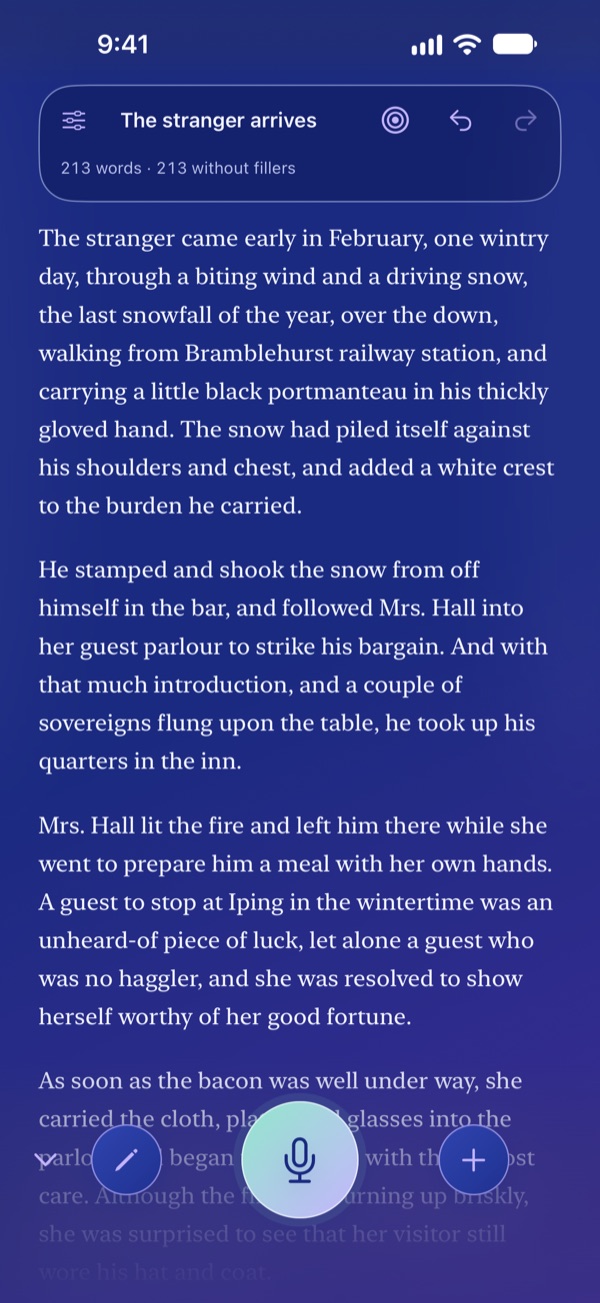
Proselle recording screen: a transcript fills the page, with a record button at the bottom
Just talk.Tap the microphone and speak. Your words appear on the page as you say them, transcribed on your iPhone. The bar at the top keeps count: total words, and the total without fillers.
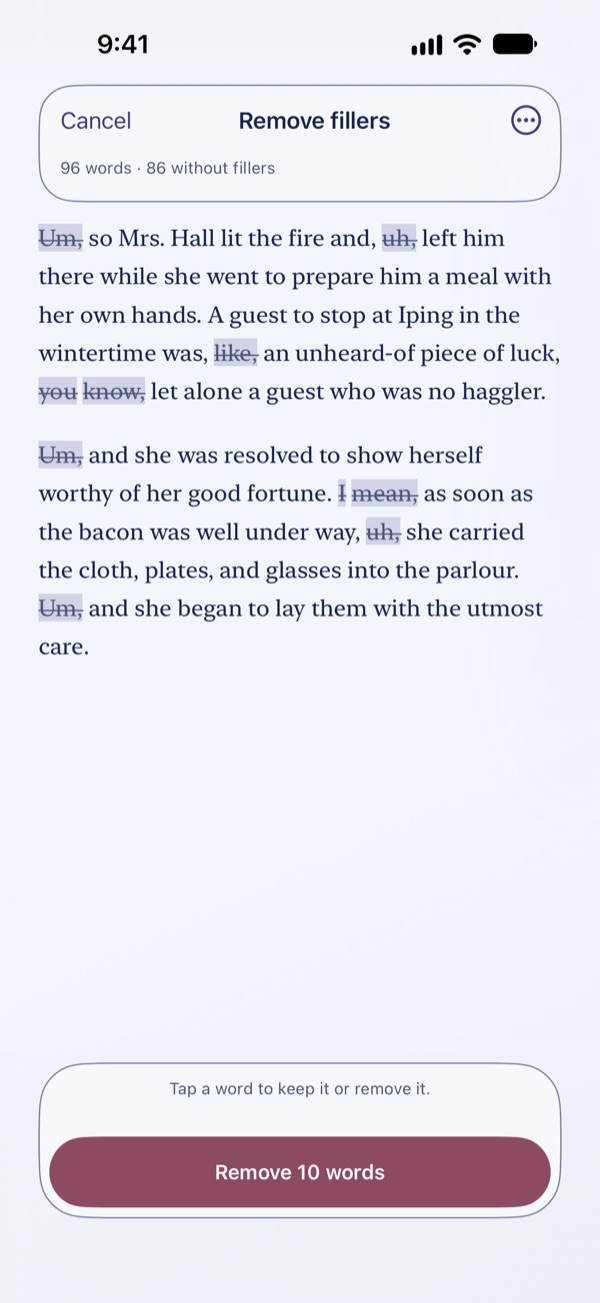
Remove fillers: filler words like um and uh are struck through, each tappable to keep or remove
Lose the ums. Keep the original.Proselle marks filler words like um, uh and you know with a strikethrough. Tap any word to keep it or remove it. Nothing changes until you tap Remove, and the original stays.
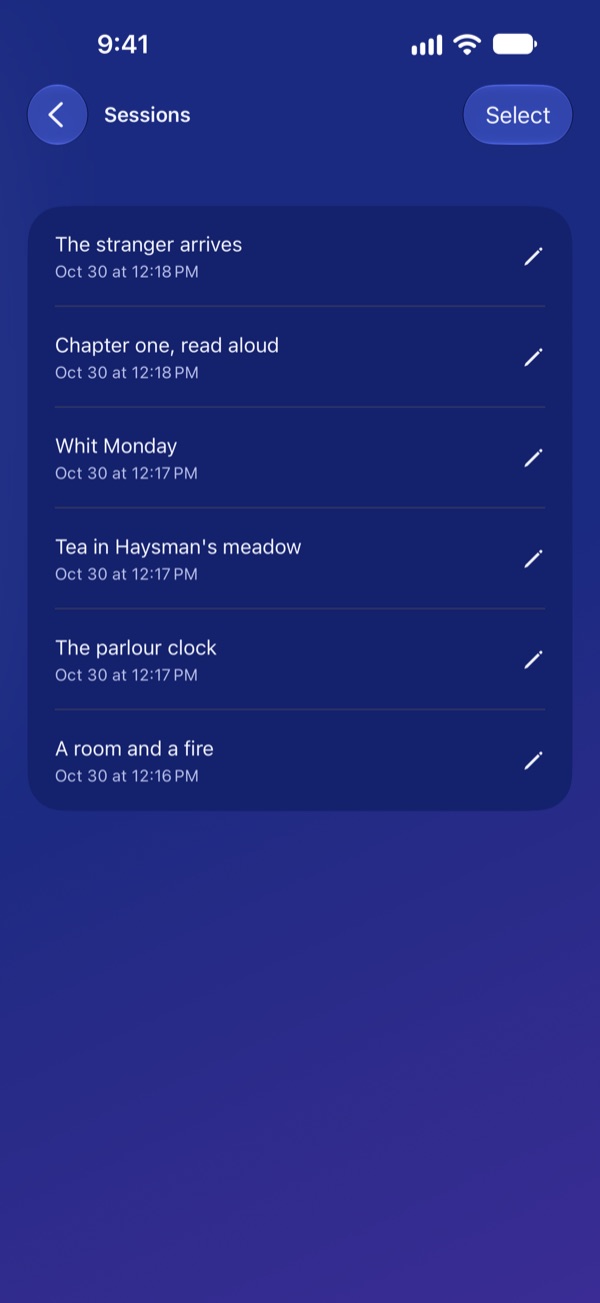
Sessions list: saved recordings with titles and dates
Pick up where you left off.Every recording is saved as a session on your iPhone, titled and listed by date. Open one to keep going, or delete it whenever you like.
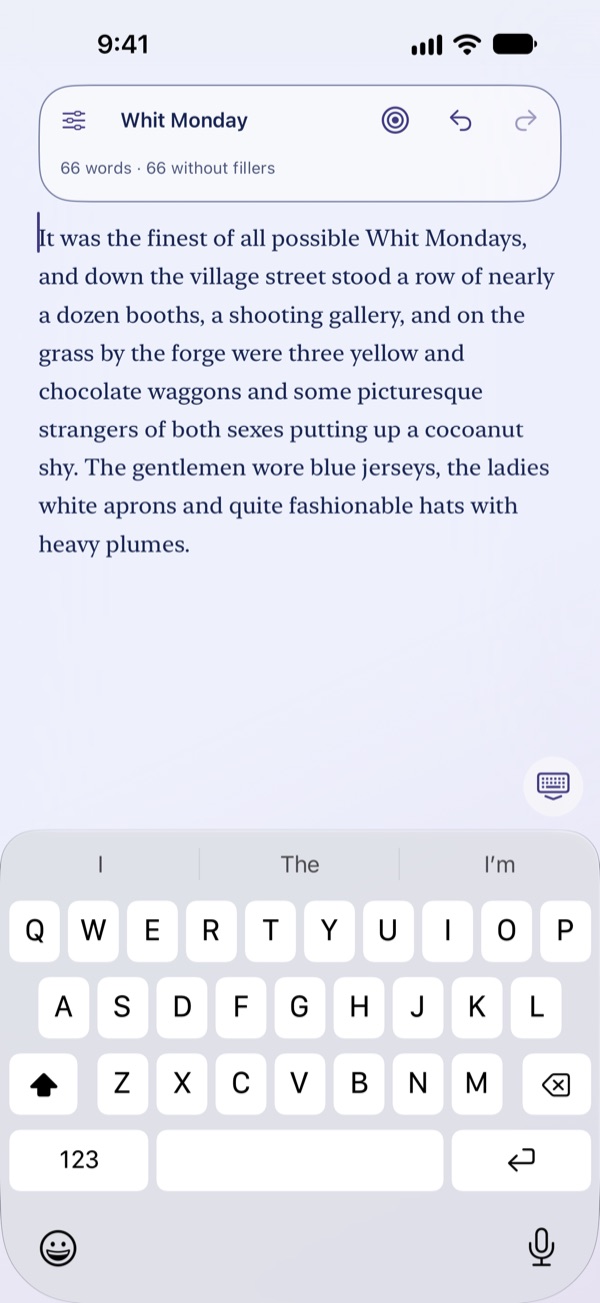
Editing a transcript by hand with the keyboard open
Fix a word by hand.Heard something wrong? Double tap the page and type, any time. The keyboard is right there.
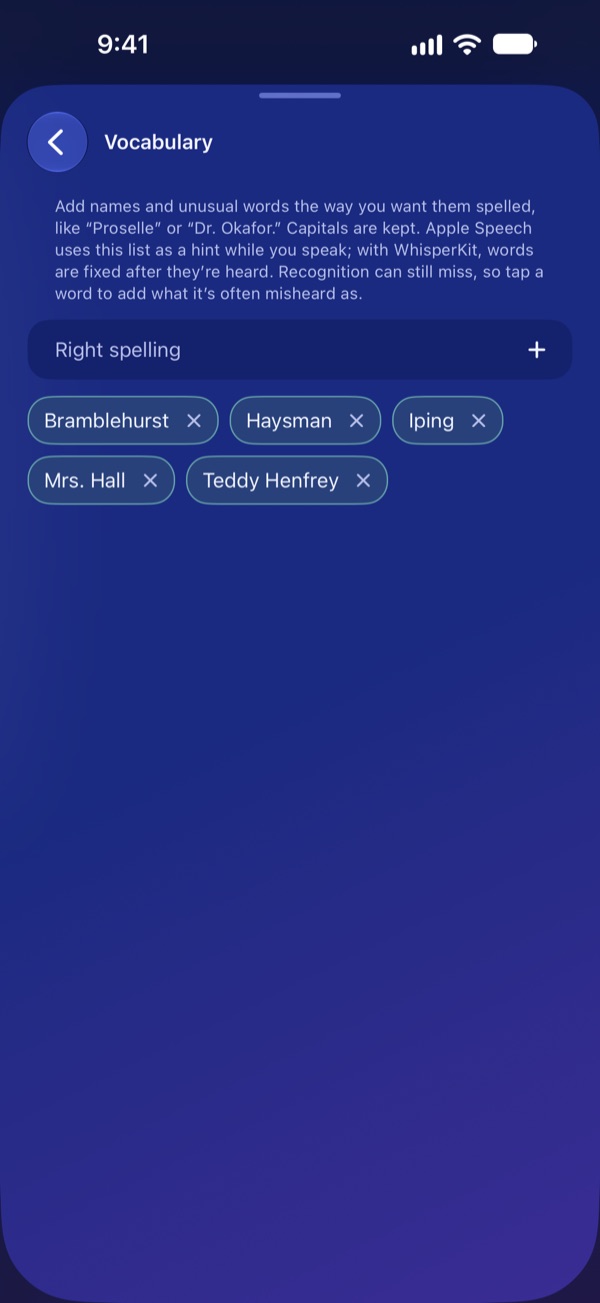
Vocabulary list of names and places for Proselle to spell your way
Teach it your words.Add the names and places you say often, and Proselle spells them your way.
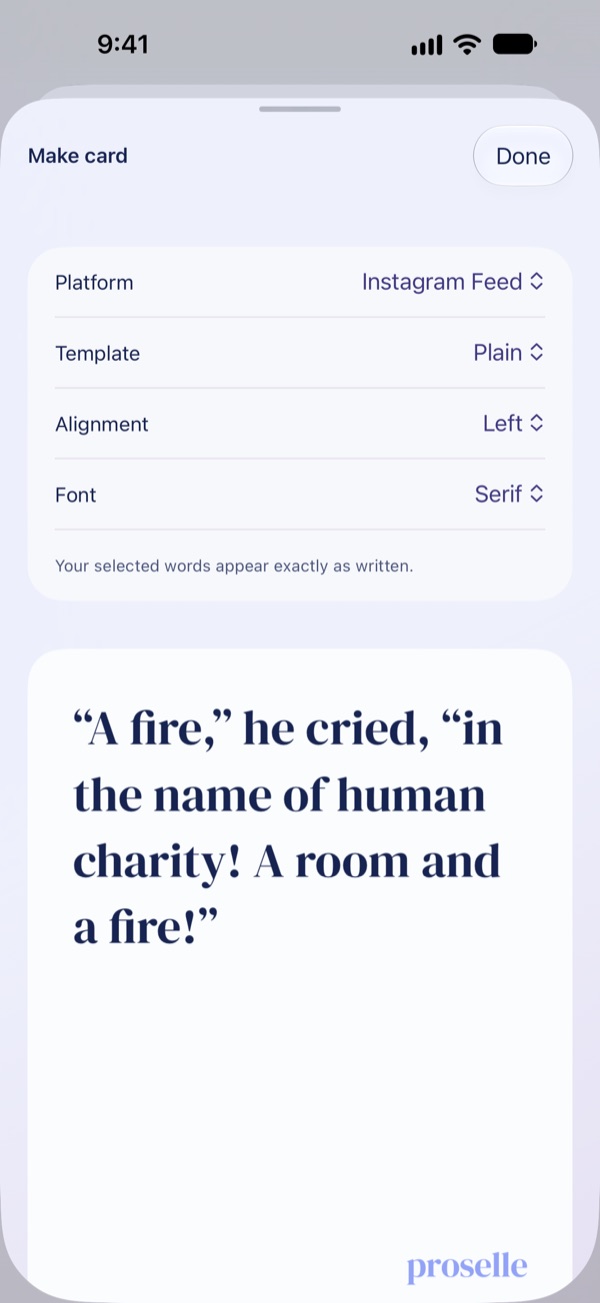
Card composer: a passage of text laid out as a shareable card
Make a card from a line you love.Pick a passage from a session and turn it into a card you can share.
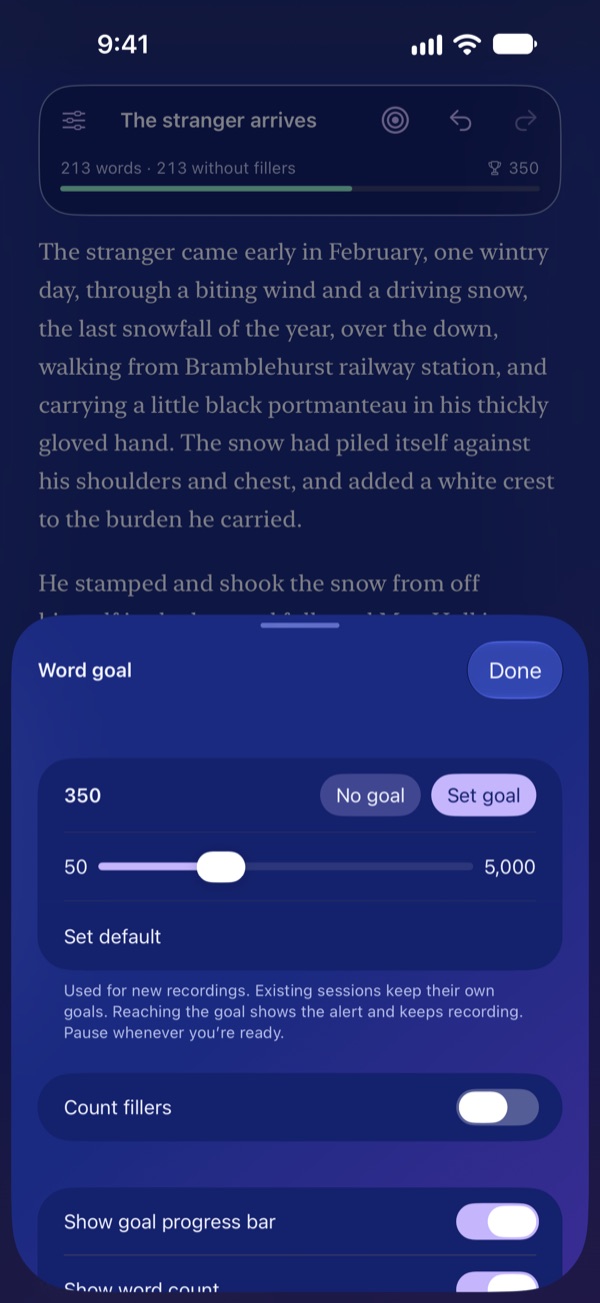
Word goal sheet: 213 of 350 words, with a progress bar under the word count
Set a word goal.Watch yourself get there. Set a number of words for a session and the bar under your word count fills as you talk. Reach it and Proselle tells you, then keeps recording.
Proselle's glowing record button on a light background
Quiet, and all yours.Dictation on your device. Your audio isn't uploaded. Apple Speech transcribes on your iPhone, and so does WhisperKit if you choose to download it. Proselle doesn't send your audio anywhere; your sessions stay on your phone unless you share or export them.

Stays on your phone

Transcription happens on your device with Apple Speech or a Whisper model you choose to download. Audio is not uploaded and is discarded after transcription.

Keep your words

Review which filler words would be removed, and keep the original. Set a word goal, and copy or share plain text.

No account

Open it and record. Your sessions stay on your iPhone, and you can delete them in the app at any time.

No ads. No tracking. No analytics. Read the privacy policy.